Testing my ACTION CAM in low light

GoPro cameras and the like are infamously bad in low light.

BUT my new Insta360 Ace Pro was touted as by far the best of the bunch because of black magic AI software. And a larger sensor.

On a dark and foggy night, I headed out to very challenging conditions.

NOT GREAT is my verdict. I won’t use it often at night.

Click PLAY or watch it on YouTube. (No video editing)

Here’s an example of when it worked very well at night.

Click PLAY or watch it on YouTube.

“Upscaling” photos in 2023

Image scaling (upscaling) refers to the resizing of a digital image.

When upscaling a photo, more pixels must be generated. 

There are different ways software tries to do this.

Based on this tutorial, I downloaded the Upscayl app which is FREE and offline. 

Click PLAY or watch it on YouTube.

When it works, results can be amazing. 

For me it certainly hasn’t worked, at times. A very bad photo is hard to improve.

Here is one of my 4K iPhone photos compressed smaller by Instagram. It looks fine on a phone, but terrible if you zoom in on a good monitor.

Check the same photo upscaled to 16,128 x 9,072 pixels on Flickr Pro.

Zoom in.

This is ONE of the many reasons I store my original photos on Flickr Pro, not one of the free social media sharing sites. They all compress.

Inspired by Photographer Peter McKinnon

Best of the best when it comes to photography online.

How does Peter motivate himself? 

…. Change. Challenge.

He switched to film only for a year, for example.

Click PLAY or watch his year in review on YouTube. 

My NEW Insta360 Ace Pro Action Camera

A Christmas present to myself 2023.

Here’s my 1st video using mostly Ace Pro footage. 

Videotaping animals and birds is particularly challenging when using cameras without much optical zoom.

Click PLAY or watch it on YouTube.

I’d long planned to replace both my old GoPro and my Sony ZV1 camera with one action camera — and finally made the leap when the Insta360 Ace Pro was released December 2023.

My minimum gear for shooting video has never been lighter nor more compact. 

I can use the Ace Pro with all my GoPro attachments.

Action cameras are even more durable than phones.

Of the dozens of cool features available with the Ace Pro, I’ll actually be using very few for my hiking videos.

Click PLAY or watch it on YouTube.

Settings

90% of the time I will be shooting:

  • 4K 30fps HDR.  Stabilization STANDARD.
  • Automatic focus.

I like HDR (high dynamic range) and shoot the same on my iPhone.  Over-saturated video looks good to me on YouTube. Especially if watching on a phone.

4K 30fps is the most I can shoot in HDR on the Ace Pro. (Better would be 60fps in HDR. That would be my request for future upgrade.)

I export at 1080p 30fps so can crop / zoom down without losing resolution. 

Shooting in this setting I can quickly zoom 50% and yet still end up with 4K video whenever I want by double tapping the screen. How does 4K zoom to 4K? … Some sort of digital trickery in camera they call clarity zoom. 

Their 8K is 4K with 4 small pixels replacing each normal 4K pixel. So far I haven’t been much impressed with 8K for video.

Ultrawide gives the widest possible perspective for outdoor scenery. I’ll use that mode when shooting BIG outdoor vistas.

Most of the time, I’ll use Dewarp (minimal distortion) as it most closely matches a normal camera with almost no curvature to the image.

iPhone App and Apple Watch App

I’ll be using the Apple Watch app quite a bit. It’s simple. Quick. And intuitive. 

I might never use the phone app which is complicated. And really not needed for someone who plans to edit video later on laptop.

Click PLAY or watch it on YouTube.

Photos

Initially, I thought I’d shoot photos on iPhone 13. Video on the Ace Pro.

Comparing different photos on the Ace Pro v iPhone 13, so far I’m MUCH preferring iPhone. Seems Apple does a much better job with photos.

On the other hand, it’s bloody convenient to take a photo simultaneously while videotaping with the new camera.  A great feature of the Ace Pro.

AND I’m thinking it will be more convenient to take selfie photos and video with the Ace Pro on the tripod using Voice Command. 

Voice Command on iPhone seems to screw up a lot for me. I probably won’t use it.

Click PLAY or watch it on YouTube.

Voice Command on the Ace Pro works most of the time, even in noisy environments.

This camera has Gesture Control — but it works inconsistently, as it does on every other product I’ve tried with that feature.

Downsides of the Insta360 Ace Pro

The AcePro has no GPS.  With iPhone photos and video, I sometimes look up the metadata to see exactly where and when I took the picture — very useful.

It’s possible to use the phone app — or even the watch app — to get the metadata, but that’s too much hassle for me.

The biggest problem now, however, is lack of much zoom on any of my cameras. I’d love to have something with 10x optical, as well. 

Since I export at 30fps, in my normal shooting mode I won’t be able to slow down video. In reality, I don’t use much slow mo anyway, so it probably won’t be a problem. BUT I’ll need to remember to switch to slow motion if I ever want some of those captures.

Still experimenting …

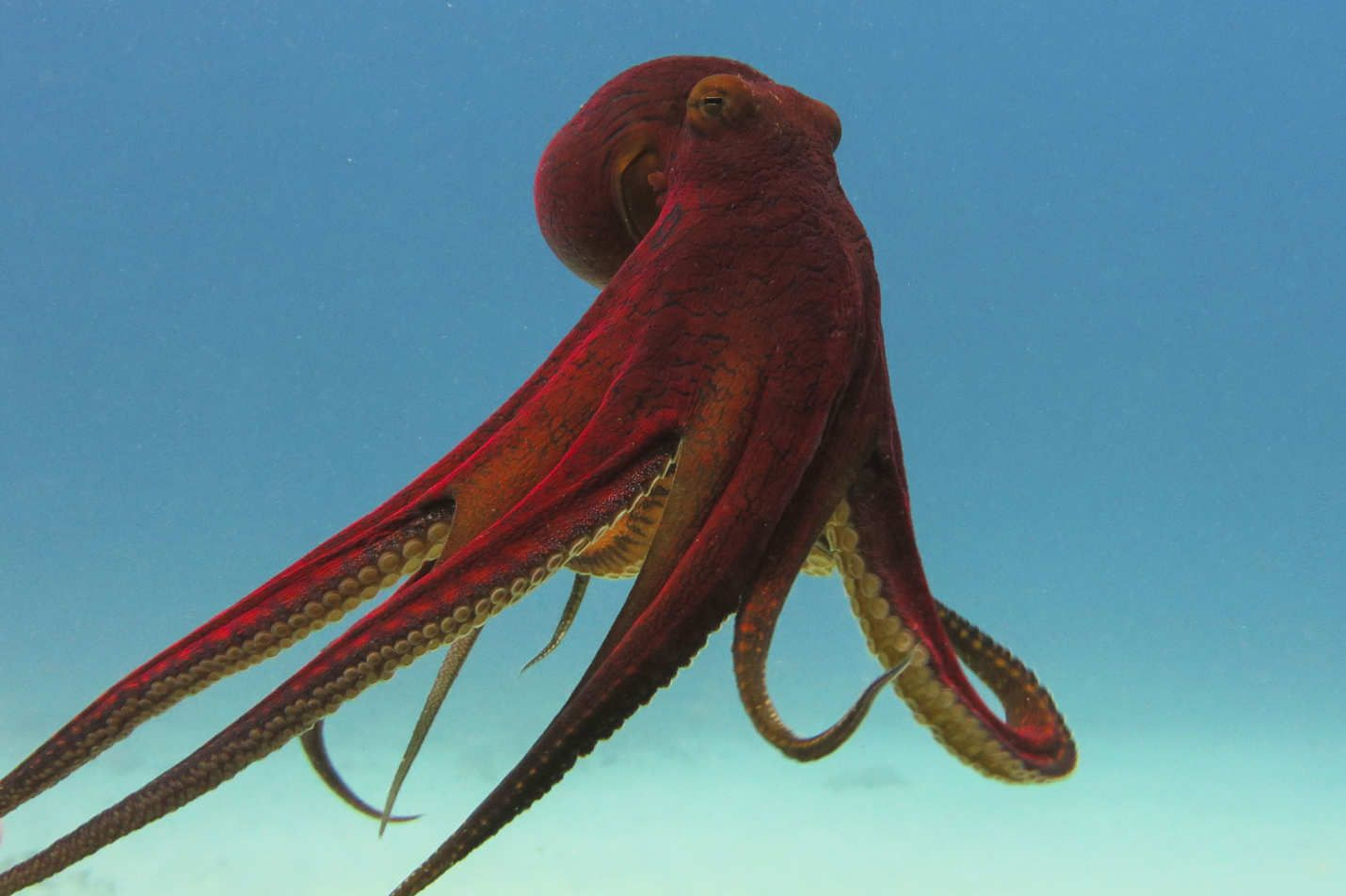
Should I get a PET Octopus?

Have you seen My Octopus Teacher, the 2020 Netflix Original documentary film?

Fantastic.

Seems to me they are the most amazing possible pet.

Click PLAY or watch it on YouTube. This is the guy who created all those terrific squirrel mazes.

YouTube Video – Sound Effects

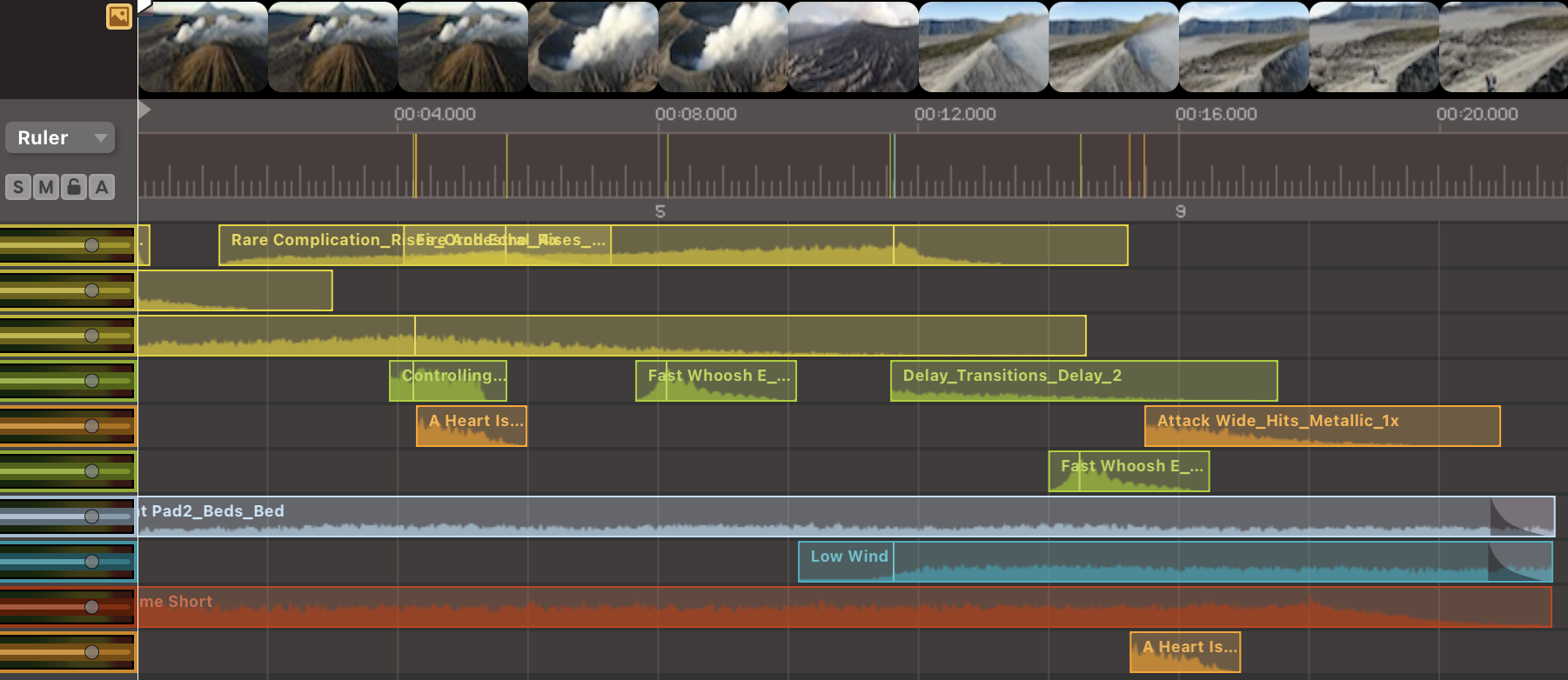
This is my 2nd experiment in video editing using software called Audio Sound Design to add sound effects.

I MIGHT have overdone it. 😀

The software has 70,000+ royalty free sounds, loops and music cues.  But for me it’s overkill. Too complicated. A bit buggy.

Click PLAY or watch it on YouTube.

Audio Sound Design – YouTube Videos

My latest experiment in video editing is software called Audio Sound Design.

I’m learning about these sound effects:

  • Hit
  • Rise
  • Drone
  • Pulse
  • Bed
  • Pitch
  • Etc.

Not inexpensive, but I did get 50% off a perpetual license during Black Friday.

In the 1990s I edited video — and feared all audio. It was easy to screw up.

By 2022 I was enjoying the audio editing as much as video. Putting visuals to an interesting song is fun.

I was finding it a pain to find and add sound effects.

Audio Design Desk comes with 70,000+ royalty free sounds, loops and music cues

Adding them to your video is a breeze with this software.

The advanced features are futuristic. I’ll go slow experimenting with those.

Here’s my first TEST. I edited stock video from Indonesia.

Music and sound effects were added using Audio Sound Design software.

Click PLAY or watch it on YouTube.

Insta360 Ace Pro vs DJI Action 4 vs GoPro Hero 12

Yesterday Insta360 launched their newest Action Camera ➙ Insta360 Ace Pro.

I’ll be buying one quite soon.

$616 CAD. Plus accessories.

Now with a flip screen, it will replace both my GoPro 7 and Sony ZV1.

Other Ace Pro features I particularly like are:

  • 8K photos
  • 4K 120fps slow motion
  • NEW AI chip which can manipulate video like a phone
  • HDR mode

I’ll probably add:

  • extra 1650mAh batteries
  • several different mounts

Click PLAY or watch it on YouTube.

Click PLAY or watch the DJI pitch on YouTube.

Worst at this particular moment in the Action Camera arms race is the GoPro 12.

Here’s a good comparison of Insta360 Ace Pro directly compared with the DJI Action 4.

Click PLAY or watch it on YouTube.

Click PLAY or watch some TIPS on shooting with the Ace Pro on YouTube.

My video/photo editing workflow

Updated April 2024.

A #CovidGoal was to improve my video editing.

Here’s a summary of my video editing journey.

I started a new YouTube channel dedicated to HIKING.

A secondary goal, to improve photos and start sharing them more. I started an Instagram account for my hiking pics – BestHikeVisuals.

Mostly I’ve been disappointed with the many limitations of Instagram. I’m not a fan of that platform. I store my best (64,000 😀) photos on a paid site ➙ Flickr by Smugmug.

I shoot iPhone photos and video in HDR (High Dynamic Range). The BIG advantage of phone cameras is the black magic used in the automatic setting. Most of the time automatic results are better than I can do manually. AND it’s a lot FASTER.

After posting my French Creek tribute,(2021), I declared I was GOOD ENOUGH at video editing for my purposes. Approaching “Concious Competent“. I could sit down at a table with a professional video editor and understand 75% of what they were talking about. 😀

The remaining 25% has mostly to do with colour. Skin tone. Complicated stuff. Creators who can afford it often send their own work out to a specialist for colour correction.

NEXT STAGE = STORY

Story. Story. Story.

Every edit should contribute to the STORY.

I threw this one together quickly as a teaser for my West Coast Trail survival videos. But in some weird way, it’s evocative of that wild and challenging hike.

I’m particularly happy with the audio.

Click PLAY or watch it on YouTube.

  1. I’m usually shooting solo
  2. 3 cameras: Insta360 Ace Pro Action CameraiPhone 13 Mini (with-or-without DJI OM 6 gimbal), and DJI Mini 4 drone
  3. For video I’ve switched from 24fps to 30fps as it’s a little sharper, though less cinematic. 
  4. the Ace Pro is my main camera for video
  5. Ignoring advice of most experts, I mostly shoot Intelligent Auto Mode.  In fact, I shoot Intelligent Auto Photo Mode almost all the time — as it’s QUICK on the Sony to take a 5472 × 3080 [16:9] photo and QUICK to switch to Intelligent Auto video 4K 30fps. With 4K I have plenty of room to crop or zoom to my final product in 1080p.
  6. The biggest risk of shooting Auto is shifting exposure during the same scene.  When that happens I’ll have to crop scenes so as not to show the flickering.  One exception is with the DJI drone — with the exposure is set to Auto while flying, I can LOCK 🔓 it in by clicking the small button bottom lower right of the Fly app display.   That’s the case with all cameras ➙ but I often forget to lock exposure. 
  7. Shooting auto I tend to get video more saturated than reality.  To that, I add even more saturation and contrast.  I like that exaggerated look though it’s considered uncool in 2023. 
  8. ZV-1 Memory Recall  = 1080p / 60fps for slow motion (60 is better math when slowing for 30fps output)
  9. ZV-1 Memory Recall  = 4K / 30fps
  10. ZV-1 Memory Recall = is for Time Lapse  photos 5472 × 3080 [16:9].  This setting I use mainly for photos, choosing the best from the collection. 16:9 ratio makes for a time lapse photo that matches the dimensions of my export video.  
  11. PHOTOS
    1.  I often shoot photos in RAW and JPG both — but usually edit in RAW.  
    2. Apple’s free Photos app on the Mac is not perfect, but I’m still using it for organization.  And quick edits.  It’s a much better photo editor in 2023 than just a couple of years ago.
    3. I’ve switched to Pixelmator Pro for editing the best of the best photos for Instagram.  
    4. All photos are archived in my Flickr Pro account
  12. I quit trying Sony video S-Log2, S-Log3, and other HLG profiles used by the cool kids as it was way too much hassle for gains in quality I don’t really need. 
  13. iPhone 13 Mini on the OM 6 gimbal apps: Camera, Moment, DJI Mimo, SkyFlow
  14. the 13 Mini probably just as good as the ZV-1 in bright daylight.  But I’ll use it mostly for B roll: slow-mo, time lapse, special effects, etc. (always 4K and 60fps for slow mo or speed ramping.  30 fps normal. 24 fps low light).  I shoot HDR High Dynamic Range 10-bit. The better quality ProRES is not available on my 13 Mini.
  15. I’ll probably switch to the dedicated SkyFlow app timelapse app as it’s so quick and simple.
  16. The 13 has less stabilization than 13 Pro or Max, so I’ll use it on the gimbal as much as possible.
    1. One great gimbal feature that finally works consistently on the DJI OM 6 is GESTURE CONTROL for tracking myself.  It seems like I have a cameraman, though I’m solo.  That’s only available on the DJI Mimo app.
    2. Space on the phone is not a worry as I’ll transfer photos and videos on the fly via a tiny SanDisk 256GB memory stick.  
    3. The 13 Mini will be a dedicated camera and audio player.  I’m currently carrying a second iPhone, the S.E. mini as my phone phone. 
  17. GoPro 7 is for B roll: action, water, fake drone, etc. (mostly 2.7K 60fps as 2.7 is the highest it can go with Superview (16:9 aspect ratio) enabled.  I’d only switch to 4K if on a tripod.)
    1. low light set on auto
    2. ISO min 100, max 400 (400 might be low)
    3. Protune off
    4. Head mount, chest mount, handlebar mount, selfie stick, or tripod, depending on the situation. 
  18. Editing video with Final Cut Pro X on a MacBook Pro 14″ 2021 with 16 GB internal memory. That said, the cheapest MacBook Air is sufficient for almost everything I do. 
  19. Export in 1080p
    1. master file using ProRes 422
    2. export ‘Computer’
    3. export H.264 Faster Encode
  20. Shoot 120 fps only for smoke, fire, fast moving sports, etc. 
  21. As little hand held video as possible.  Use tripods.  Handheld would only be used to show ACTION.  Close-up motion.  I don’t shoot much of that. 
  22. Shorter the better for my videos. 
  23. No ads.  I gave up trying to monetize anything on the internet years ago. 
Shoot in 4K. Crop as small as 1080p. Export 1080p.

Keeping electronics powered while on the road is one of my bigger problems.

For hikes where weight is critical, the only essentials are phone and drone.

For bikepacking, I’ve taken EVERYTHING on some long trips. Weight and bulk are not really issues.

For the electronics, I’m now using a UGREEN Nexode 100W wall charger, even for the laptop. I leave the Apple brick at home.

For the GoPro, I’ll carry at least two 3.85 Volt batteries and a tiny charging case. I find these batteries die too quickly.

In 2024, I’ll likely upgrade to a better GoPro or Insta360.

I sometimes carry a solar panel. And I’m increasingly interested in the Shine ultra-compact wind turbine. An even better solution for me than solar — but it’s still a bit too expensive. And too heavy at 3 pounds.


The Sony is my favourite camera. But when it breaks I’m planning to continue using only an Action camera and iPhone, with or without gimbal. Both cameras are small, light and durable.

The top hiking blogger, Kraig Adams, recently sold his big camera and shot only iPhone and drone. UPDATE ➙ Kraig went back to carrying an expensive camera. But he really wants to dump it. He calls himself a minimalist.

Click PLAY or watch it on YouTube.


Happy enough with the quality of my videos, my MAIN GOAL 2023 was to produce the same quality FASTER.

Better planning. Shoot less footage with a clearer concept on what scenes I want to capture.

My videos are getting shorter, as well. That’s FASTER too.

Still time consuming is finding the music for each. I’d say audio is at least as important as the visuals.

My favourite audio, so far, is  BEST VIDEO Highlights 2022.

Click PLAY or watch it on YouTube.

That’s ODESZA. Indeed, my favourite YouTube music 2022 were tracks from that duo.

Once I decide on music, I find it fairly quick and easy to decide the sequence of clips. And do the editing. I have an ✔ EDITING CHECKLIST on Apple Notes app I continually update.

Of course the future of video editing and creating is AI.

Well established for images, artificial intelligence for video is just getting started.

One app I tried is called BeatMark Pro.

Give it the music track. Drag in all video and/or photos you want to include. And the software creates an edit for you. Normally, you click again to watch a different edit. And you can change the length of the music track quite easily. The software tries to find a good place to cut the song.

It’s mainly intended for short, fast cut Instagram, TikTok, and Reels.

BeatMark Pro is amazing. But far from perfect.

To keep it simple I tried a photo slide show. Got a decent result. Then did an additional hour of editing to come up with this.

Click PLAY or watch it on YouTube.


My most popular video, so far. Fisherman’s Trail, Portugal.

Click PLAY or watch it on YouTube.

Only twice so far has YouTube promoted any of my videos, even though the quality is conspicuously better than hiking videos with far more views. YouTube is terrible at search, I’d say. 😀