For most people, Instagram and TikTok are the most entertaining. I don’t much look at either.
If you want to avoid POLITICS, Meta (Instagram, Facebook, Threads) has definitely reduced the emphasis on political arguments. In Canada, a bonus for using Facebook is that news links are banned.
I haven’t quit Twitter — surprisingly — as my own feeds focused on Gymnastics and Hiking are still good. If I click on Following and avoid For You, the stream is valuable. Of course I quickly block anything I don’t like.
I post today as many of the people online I trust and respect are migrating to Bluesky.
Looking more for VIDEO than anything else, these are the sites I use most:
I hate advertising. Facebook doesn’t offer paid ad-free feeds, so I use ad blockers.
I hate Elon Musk and refuse to send him even one penny. So use ad blockers.
I use WhatsApp only for small group communication. It’s excellent. Messenger, as well, only for communication with very few people.
I’ll check Reddit once in a while if I’m looking for something specific.
Mastodon could be my favourite, but it’s not caught on with the people I want to follow.
LinkedIn should be best of all. But I’ve never seen much value for my purposes.
I never signed up for Snapchat. Hikers are mostly on Instagram. Gymnastics coaches mostly on Twitter.
I’ll try Bluesky. But I’m worried it will never grow big enough.
If desperate, I’ll create a browser bookmark folder and open all these social media sites simultaneously to check the latest news in Gymnastics and Hiking. OR … could I use an A.I. client to do that for me?
I’d avoided this Facebook social media alternative — until the pandemic. It’s very popular with outdoor recreation folks so I started posting near daily on @BestHikeVisuals.
Here’s what I got after asking my website host AI:
“Write a Blog Post Using AI Assistant in WordPress.com”
Blogging has become an integral part of the online world, allowing individuals and businesses to share their thoughts, expertise, and experiences with a global audience. With the advent of AI technology, the process of writing a blog post has been revolutionized, making it more efficient and user-friendly. In this post, we’ll explore the benefits and advantages of using an AI assistant to create engaging content on WordPress.com.
Understanding AI Assistants
AI assistants, also known as chatbots or virtual assistants, are computer programs that utilize artificial intelligence to interact with users and perform tasks. When it comes to writing a blog post, AI assistants can help generate content ideas, improve writing quality, and even optimize for SEO. These assistants are designed to understand natural language and can provide valuable suggestions to enhance the overall quality of the blog post.
Streamlining the Writing Process
One of the key advantages of using an AI assistant for blogging is the ability to streamline the writing process. Traditional writing can be time-consuming, requiring extensive research, planning, and drafting. With an AI assistant, bloggers can generate topic suggestions, receive real-time grammar and style suggestions, and even access relevant data to enrich their content. This not only saves time but also enhances the overall efficiency of content creation.
Enhancing Content Quality
AI assistants excel in identifying and rectifying grammatical errors, spelling mistakes, and awkward phrasing. They can also offer valuable recommendations for improving the overall readability and coherence of the blog post. Additionally, AI assistants can suggest relevant images, videos, and links to supplement the content, making the blog post more engaging and informative for the readers.
Optimizing for SEO
Writing a blog post that ranks well on search engines is crucial for driving traffic to the website. AI assistants can aid in optimizing content for SEO by suggesting relevant keywords, analyzing the post’s readability, and providing insights into the post’s overall SEO performance. By leveraging AI technology, bloggers can ensure that their content is well-optimized for search engines, thus increasing its visibility and reach.
Embracing AI in WordPress.com
WordPress.com, a popular platform for bloggers and website owners, has integrated AI technology to empower users in creating compelling content. With the assistance of AI, bloggers can enhance their writing, improve SEO, and ultimately provide a richer experience for their audience. By embracing AI in WordPress.com, users can take their content creation to the next level, producing high-quality, engaging blog posts efficiently and effectively.
In conclusion, the integration of AI assistants in WordPress.com represents a significant leap forward in the world of content creation. By leveraging the capabilities of AI, bloggers can streamline the writing process, enhance content quality, and optimize for SEO, ultimately maximizing the impact of their blog posts. With the continued advancement of AI technology, the future of blogging on WordPress.com looks bright, promising a more efficient and rewarding experience for content creators.
Are you ready to revolutionize your blogging experience with AI assistance on WordPress.com? Let’s embrace the future of content creation together!
This website just added an option to write sections using artificial intelligence.
The sections in green are AI.
Why should I use an AI assistant to write on this website?
Using an AI assistant to write on this website has some advantages. Firstly, it can help you save time by completing certain writing tasks quickly and efficiently. Secondly, an AI assistant can offer suggestions on how to improve your writing, including grammar and spelling. Additionally, it can help you generate ideas and provide content recommendations based on your preferences. Overall, an AI assistant can help make your writing process easier and more efficient.
The use of an AI assistant has some potential disadvantages:
Lack of creativity: while AI tools can be very useful in performing repetitive tasks, they may not be able to generate truly creative or innovative ideas.
Errors and inaccuracies: AI tools can make mistakes, especially if they are not properly configured or used incorrectly.
Dependence on technology: Relying too much on AI tools can result in reduced human skills and abilities.
Need for human input: AI tools are most effective when they are used in conjunction with human input, so it may be necessary to have someone monitor and adjust the output generated by the AI assistant.
If you are irked that I call Donald Trump the fat golfer, please stop following my posts.
After a lifetime study of comparative religion, Joseph Campbell concluded that the best course was to Follow your Bliss. Make a list of those things in your life that you most enjoy; those things that enervate you, compel you; interest you in a sustained way. Do them!
Make a second list of those things that vex your existence. How can you avoid or minimize those? CANCEL them.
When in office I mostly called Trump the toddler President — rash, undisciplined, selfish, spoiled. Out of office fat golfer better sums up my opinion of him in a short, colourful way. Trump is the master of name calling. Since he does it, I feel it’s ethical to reciprocate.
The Ugly American
I believe in freedom of speech. The fat golfer can say whatever he wants on his golf course. BUT not in my home. Not on my blogs. Nor my social media feeds.
I also believe in the freedom to NOT listen to speech.
Since Rush Limbaugh — the Big Fat Idiot — popularized the notion of cancelling people in the 1980s, the word cancelled has become increasingly loaded. And increasingly meaningless.
Though I’m left leaning, I haven’t yet cancelled JK Rowling, Woody Allen, Jordan Peterson and many more. You should if they irritate you enough.
I AM quick to unsubscribe to organizations and people I believe are distributing dangerous and/or unethical content online.
Certainly the American GOP / FOX money making machine picks a new Mr. Potato Head to cancel every day. Gots to keep their mostly old, white supporters angry. (That story was fake news, by the way.)
The best coverage of this issue I’ve heard is on my favourite podcast – Reputation.
The US military used AI tools for real-time targeting in its strikes on Iran. On this week’s On the Media, what recent conflicts can tell us about AI-powered weapons and the dangerous future of warfare. Plus, lessons on democratic resilience from around the world.
[01:00] Host Brooke Gladstone interviews Siva Vaidhyanathan about how the U.S. military is using artificial intelligence in its strikes on Iran, and what can be gleaned from recent conflicts about the state of AI-powered warfare. Plus, what does accountability for war mean when AI is involved? Brooke also hears from Alan Rozenshtein, Senior Editor at Lawfare, about the Trump administration’s pressure campaign on AI company Anthropic.
[33:45] Brooke sits down with Zack Beauchamp, senior correspondent at Vox, to talk about why he got fed up reporting on “democratic backsliding,” and decided to instead investigate “democratic resilience”— and what lessons exist for Americans around the world.
Further reading / watching:
“Who’s Deciding Where the Bombs Drop in Iran? Maybe Not Even Humans.” by Siva Vaidyanathan
“Congress—Not the Pentagon or Anthropic—Should Set Military AI Rules,” by Alan Z. Rozenshtein
“What the Defense Production Act Can and Can’t Do to Anthropic,” by Alan Z. Rozenshtein
The Reactionary Spirit: How America's Most Insidious Political Tradition Swept the World, by Zack Beauchamp
On the Media is supported by listeners like you. Support OTM by donating today (https://pledge.wnyc.org/support/otm). Follow our show on Instagram, Twitter and Facebook @onthemedia, and share your thoughts with us by emailing onthemedia@wnyc.org.
Of many competing services offering online digital assets, Story Blocks is most famous. And advertises the most.
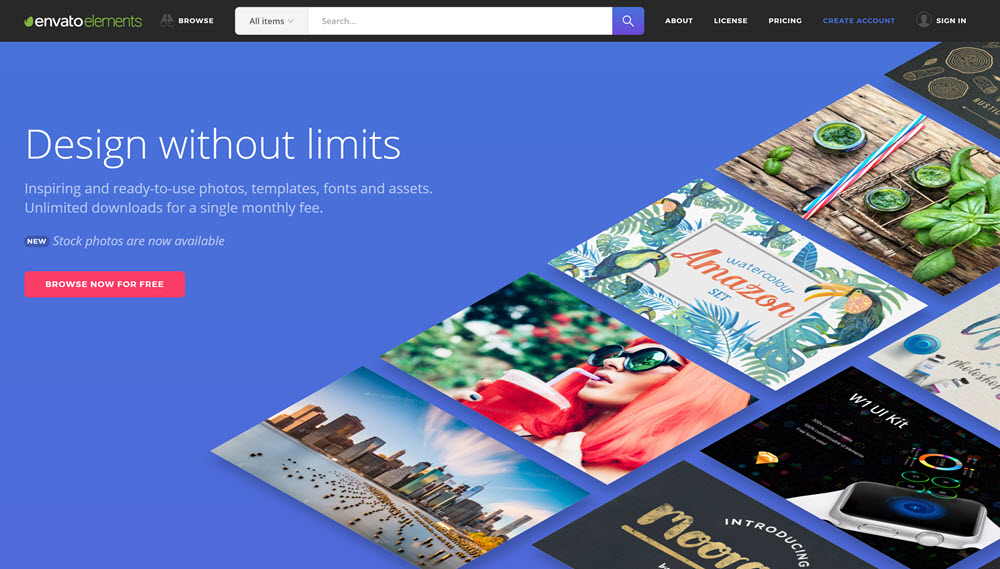
But I was convinced to join instead less expensive Envato Elements US $198 / year. Both work with Final Cut Pro, my software.
They provide licensed images, audio, videos, graphics, plugins, fonts, logos, tutorials, 3D, graphic & video templates, presentation templates, infographics and much more. I’ll be including those in my videos, websites and presentations.
One of the main things I like about using their digital resources is the simplicity oflicensing. I’m much less worried that YouTube — sometime in future — might take down my YouTube due to copyright complaint.









 Rick McCharles